


BuildCentrix is continually adding faster and easier ways for you to keep a tight connection between the building model, manufacturing, and installation. This month’s release of version 3.13.0 of the Model Spooling service highlights this with the addition of several new features including:
Filter & Export: Filter model data by attributes such as Material, Insulation, and Dimension, and export the filtered results as a CSV document.
This new feature allows you to download all the products in your filter criteria from the spool, i.e., filter a list for all coil duct.
- Wrap Visibility Toggle: Easily hide or show wraps with a new button that automatically detects if wraps are present in the model.
- Locating all the wraps in the model allows you to select the duct inside the wrap.
- Revit Status Management: Add, edit, or remove any Revit status on spooling models.
- The easy way to keep track of materials from production to installation in real-time.
- Package Editing: Edit previously created packages at any time.
- More flexibility, faster, and easier to respond to real world changes on the jobsite.
- Run Selector Tool: Select two elements in the model to automatically highlight the shortest connecting path for editing.
- Allows users to select two points on a run of duct to create a work order even if they are not connected at some point in the run, i.e. there is air handler that does not show on the model.
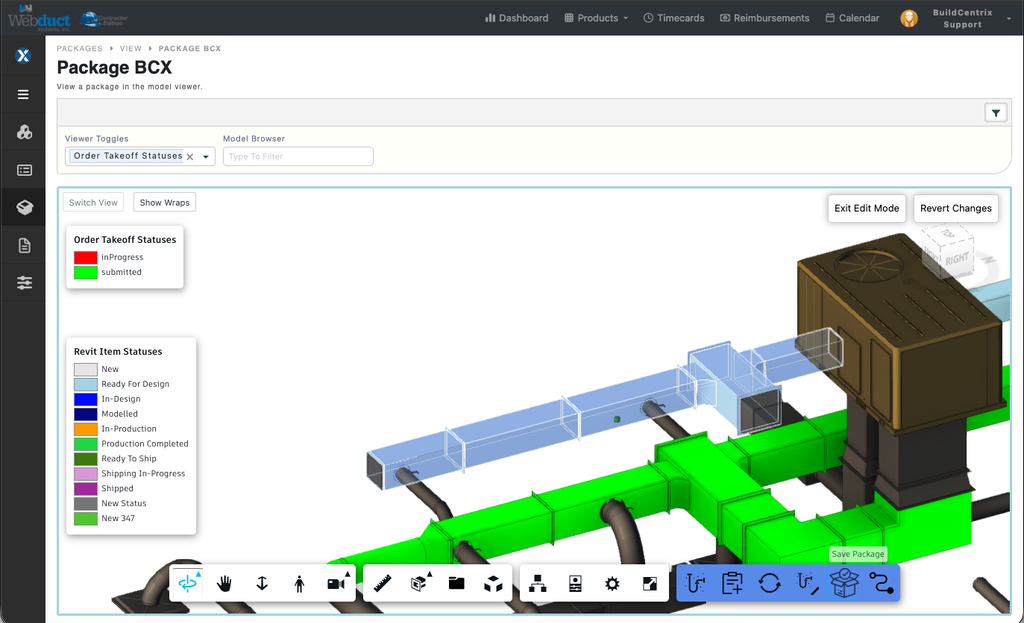
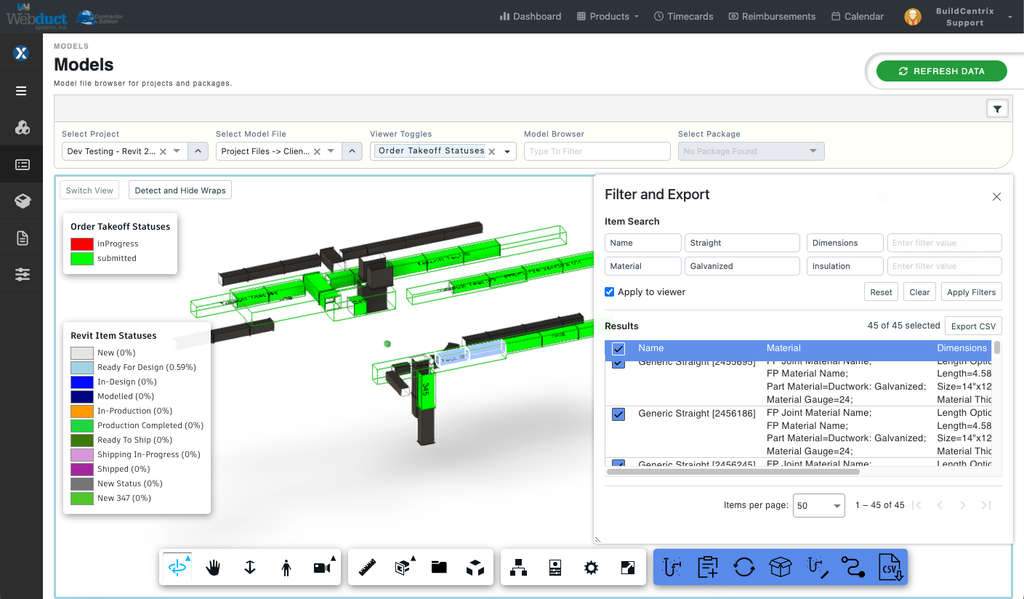
Filter and Export
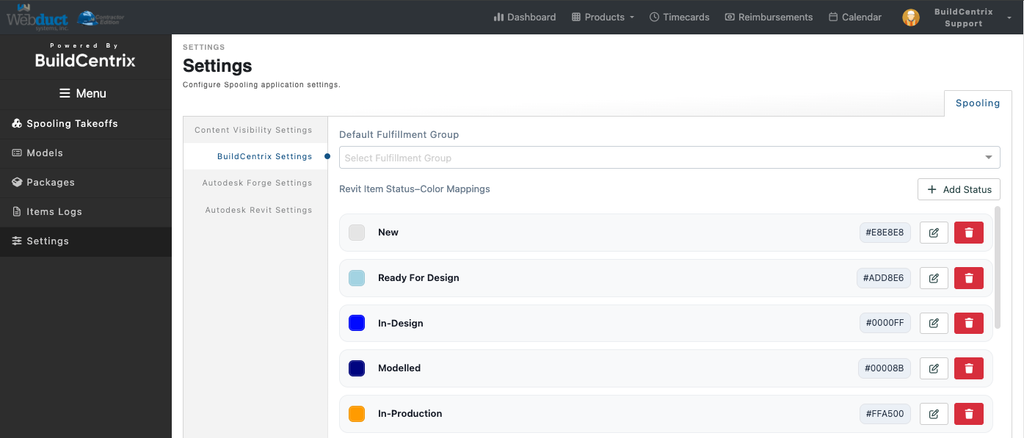
Spool Status Management
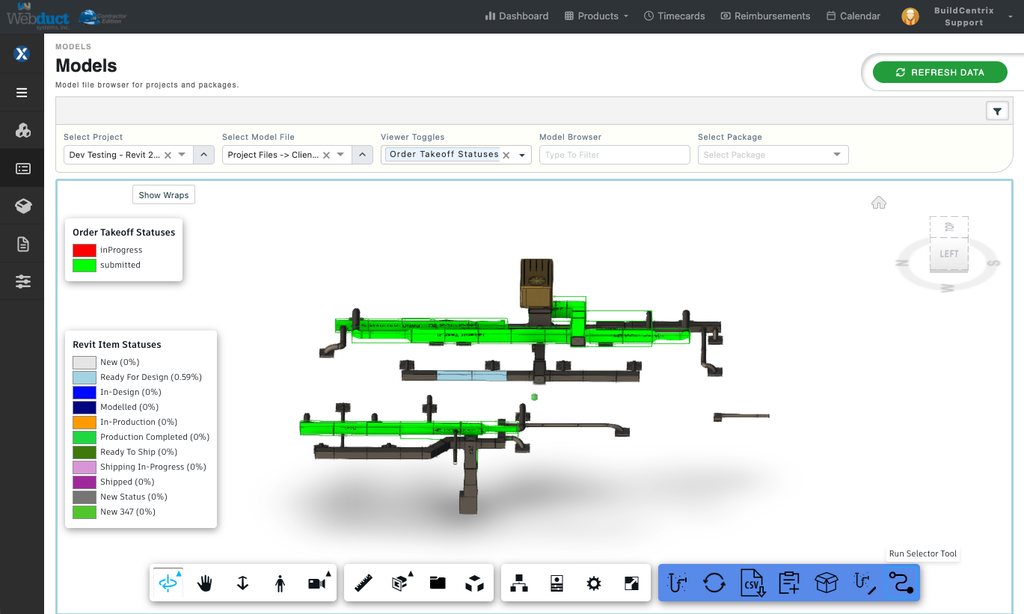
Run Selector Tool
BCX is committed to building better tools to connect the building model to reality in the shop and on the jobsite. BCX spooling tools empower the people charged with getting the work done in the detailing, shop, and field to work together to improve efficiency and reduce costs on every project.
If you would like more information on the BCX Model Spooling or any Autodesk plugins please email s[email protected]