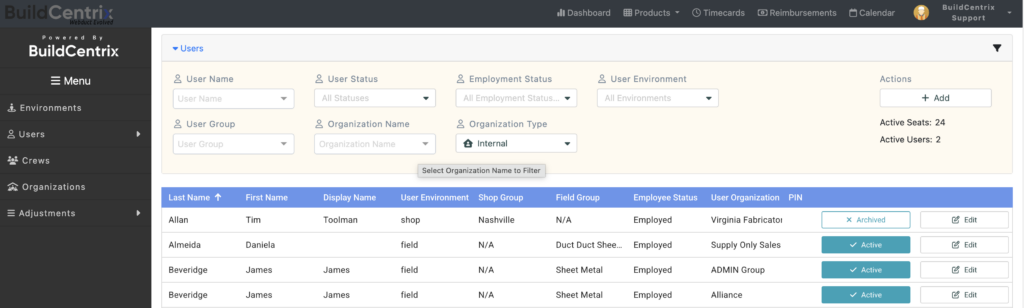

When it comes to managing Users within the BCX platform, Administrators can easily activate and deactivate access and other functionality. For instance, Administrators can set and restrict User permissions to various services, such as ordering, timecards, and 3D takeoffs. If you have Administrator access and would like to manage your own Users, follow these quick steps:
- Log into BuildCentrix.
- Locate the menu in the upper right corner of your screen.
- Choose Users from the drop-down menu.
- Use the User name (or any other filter) to find the User you need to update.
- To Re-activate or Deactivate, simply click the appropriate button.
- To add a new User, simply click the Add button.
- Click Edit to modify any User’s information, including re-setting their password.
If you would like more information on User management or any other aspect of the BuildCentrix platform, please email [email protected]